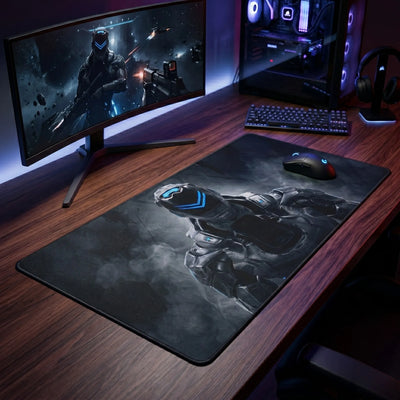
Most desk mats are returned for one reason: they were bought by eye. The desk looked big, the mat looked big, and once it was unrolled it either sat under the monitor foot or stopped short of where the mouse actually goes. Three measurements avoid that. They take two minutes and a tape measure.
1. Width — measure your mouse sweep, not your desk
Put your keyboard where you actually use it. Now move the mouse through the widest sweep you make in a normal session — for a spreadsheet, that is edge to edge of the screen; for a game at low sensitivity, it is a full arm swing. Mark the furthest point the mouse reaches on the right (or the left, if you are left-handed).
Measure from the outer edge of the keyboard to that mark. That is your minimum width. A mat narrower than this will have the mouse running off the edge, which you will feel on every wide movement.
2. Depth — front edge to monitor foot, minus two inches
Measure from the front edge of the desk to the foot of your monitor stand (or to the wall, if the monitor is on an arm). Subtract two inches. That is your maximum depth.
The two inches matter. A mat that has to slide under the monitor foot never lies flat; the foot presses a ridge into it that the mouse catches on. A mat that stops two inches short of the foot lies flat and leaves room for a cable.
3. Sensitivity — the measurement gamers forget
If you play below roughly 800 DPI, your arm sweep is much wider than the one you measured while browsing, and the number from step 1 is too small. Measure again during a game, not after it. At low sensitivity the 47-inch format stops being a luxury and becomes the minimum that keeps the mouse on cloth through a 180-degree turn.
Above 1600 DPI the wrist does most of the work and a 24-inch width is usually more than enough. Going further: 3, 4 or 5 mm — which thickness should you choose?
Which format matches your numbers
| Format | Fits | Typical desk |
|---|---|---|
| 7.1×8.7 to 9.8×13.8 in | Mouse only | Any — the classic mouse pad footprint, for a photo you want to see every day |
| 15.7×35.4 in | Compact keyboard + mouse | Shallow desks and standing desks |
| 19.7×39.4 in | Tenkeyless keyboard + mouse, medium sensitivity | The most common setup there is |
| 21.7×39.4 in | Full-size keyboard with number pad + mouse | Same width, extra depth so the mouse does not run off the front |
| 23.6×47.2 in | Everything: keyboard, mouse, notebook, phone | A standard 47-inch desk, edge to edge — the format people most often wish they had ordered |
Two mistakes to avoid
Buying to the desk instead of to the sweep. A 60-inch desk does not need a 60-inch mat. It needs a mat that covers where the keyboard and mouse live, which is usually the middle 40 inches.
Rounding up "to be safe". A mat that overhangs the front edge curls within a week, and a curled edge is where a mouse pad goes to die. If your depth measurement lands between two formats, take the smaller one. Already curling? Warped mouse pad: causes and fixes.
Find the surface that suits the size
- Felt desk pads — the quiet surface for a mechanical keyboard, warm to the touch
- Leather desk pads — wipe-clean PU leather that holds its shape under a keyboard
- Large desk mats — from 31.5×11.8 in up to the three desk-pad formats
- Custom desk pads — your own photo, logo or artwork printed edge to edge
- Office desk mats & wrist rests — built for eight-hour days
- The PopMyPad Galaxy — our original designs, in 15.7×35.4 and 19.7×39.4 in
Still unsure between two formats? Send us your three numbers through the contact page and we will tell you which one fits — before you order, not after.