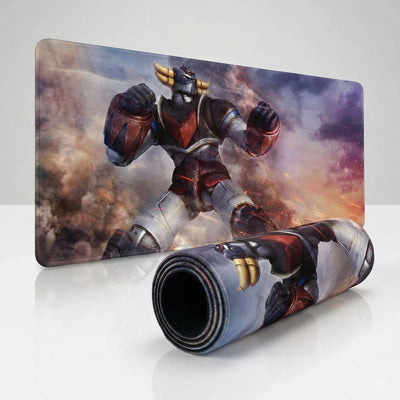
Lighting isn't a cosmetic afterthought in a gaming space — it's the heart of your setup's atmosphere. For players who like to push their sessions deep into the night, light plays a key role in immersion. That's where the RGB LED mouse pad comes in. More than a tracking surface, it becomes a dynamic light source that frames your play area. At PopMyPad, we've selected models that pair that lighting technology with a faultless esports-grade glide.
Total immersion through RGB LED technology
The RGB pad concept is built around an ultra-thin optical fiber stitched directly into the edge of the desk mat. Powered by a simple braided USB cable, the system spreads even light all the way around your play zone. Whether you want a static color to match your mechanical keyboard's backlighting, or a breathing and rainbow effect to bring the room to life, control usually comes down to a single button built into the pad's housing.
But aesthetics should never come at the cost of performance. The real strength of our RGB pads lies in the central surface. The micro-woven cloth is strictly identical to the one used on our pure competition pads. Your mouse's optical sensor gets pixel-perfect tracking, with no interference whatsoever from the perimeter lighting system. It's the perfect fusion of a stunning visual and surgical precision.
The ultimate care guide: protect your glide
Even the best pad in the world will lose its properties if you never maintain it. Dust, sweat, dead skin and crumbs build up in the micro-fibers of the cloth, increasing friction and creating that dreaded jitter (cursor shake). To make sure your PopMyPad investment lasts for years, here's our expert cleaning protocol.
1. Routine care (standard and RGB pads)
Once a week, run a lint roller (the same one you use on clothes) or a barely damp microfiber cloth over the surface. That alone removes 90% of loose dust and keeps your glide consistent day to day.
2. Deep washing (NON-RGB pads only)
Every 3 to 6 months, your standard mouse pad (no electronics) deserves a proper bath:
- Submerge it in a bathtub or a large basin with lukewarm water (never hot — heat melts the adhesive holding the rubber base).
- Use a mild soap (a gentle bar soap or baby shampoo) and scrub gently with a soft sponge or a very soft-bristle brush.
- Rinse thoroughly until the water runs clear.
- Drying: this is the critical step. Always dry the pad flat, out of direct sunlight. Never put it on a radiator, in direct sun or in the dryer, or the rubber will warp permanently.
3. Cleaning RGB LED models specifically
Important: an RGB pad contains an electronic housing and a cable. It must never be submerged in water.
To clean it, unplug it from your PC first. Use a microfiber cloth dampened with lukewarm water and a drop of mild soap. Wipe the cloth surface while carefully avoiding the USB power housing and the optical fiber stitching. Then wipe it down with a dry cloth and let it air-dry for a few hours before plugging it back in.
Built to last
Buying a quality pad is a long-term investment. The textured non-slip bases on our products make sure they won't shift a millimeter, even during a tense 1v4 clutch. Follow these simple care steps and your glide stays as smooth and precise as it was on day one. Take care of your gear, and it will take care of your performance.